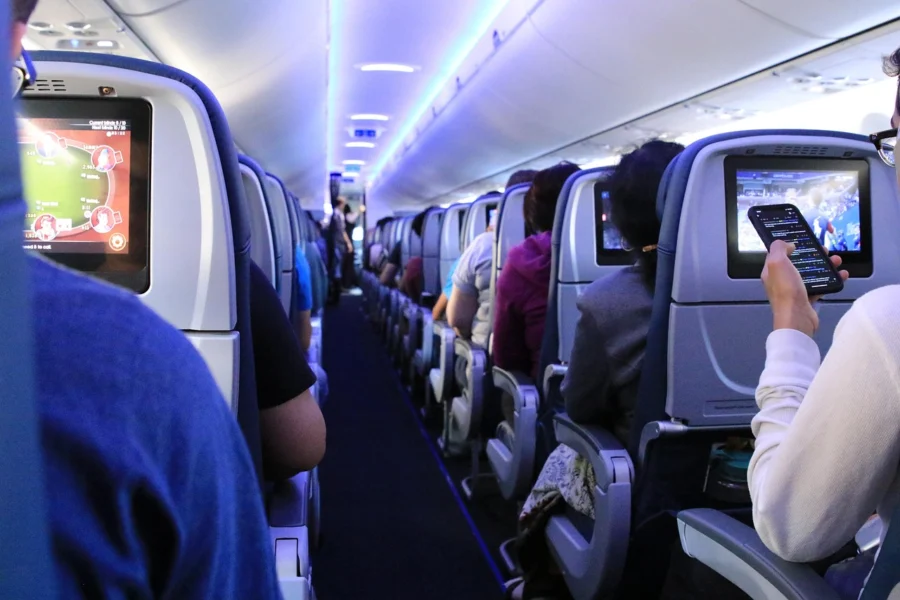
Short answer: Flight tracking helps nervous flyers by providing real-time information about their flight’s location, altitude, and status. This reduces anxiety by replacing uncertainty with facts, letting travelers know when the plane is cruising, descending, or delayed, and helping them prepare for each phase of flight.
Key takeaways
- Flight tracking reduces anxiety by providing real-time facts about your flight, countering the fear of the unknown.
- Knowing what to look for—like cruising altitude or descent—can help you anticipate normal flight events.
- Real-time status alerts help you manage delays proactively, reducing stress at the airport.
- Tracking apps and radar tools are simple to use; no aviation expertise is needed.
- Tracking is a supplement, not a cure—for severe anxiety, professional support is still key.
What you will find here
- Why Watching a Plane Move Can Calm Your Nerves
- What Flight Tracking Actually Shows You
- How to Use Flight Tracking Before You Fly
- During the Flight: What to Watch (and What to Ignore)
- Using Tracking to Handle Delays and Cancellations
- The Best Ways to Track: Apps, Websites, and More
- What Flight Tracking Can’t Do (and When to Get More Help)
- A Simple Pre-Flight Tracking Routine for Anxious Travelers
Why Watching a Plane Move Can Calm Your Nerves
Fear of flying often boils down to two things: a lack of control and unpredictable sensations. You’re strapped into a seat, at the mercy of forces you can’t see, and every bump feels like a warning sign. Tracking your flight changes that dynamic.
When you open a live map and see your plane as a tiny icon gliding along a route, something shifts. The vague, looming worry—that sense that something might be wrong—gets replaced by specific facts. You see your altitude, your speed, and your position relative to the destination. These are concrete details you can grasp, and grasping them makes the situation feel far less scary.
There’s also something deeply reassuring about watching the plane follow a predictable path. It’s not wandering aimlessly; it’s tracing a line that thousands of flights have followed before. That predictability reinforces what you already know but may have forgotten: flying is routine, and this is just another ordinary trip.
Personally, I’ve found that knowing exactly when to expect turbulence can make a huge difference. Instead of being caught off guard by a rough patch, I can glance at the weather radar and see it coming. When turbulence hits, I know it’s temporary because I can see the plane’s progress. The same goes for landing—watching the descent begin gives me time to mentally prepare, rather than sitting in suspense.
Tracking isn’t about denying your fear; it’s about facing it with information. By turning the unknown into something you can watch and understand, you take back a measure of control. And that small sense of control is often all it takes to turn a white-knuckle flight into one you can actually endure.
What Flight Tracking Actually Shows You
When you open a flight tracker, the first thing you see is usually a map with a little airplane icon moving across it. That icon is your flight in real time. You might notice a line behind it showing where the plane has already been, and a dashed line ahead showing the planned route to the destination. This visual alone can be strangely soothing. It reminds you that your flight is on a fixed path, steadily progressing, with a clear endpoint.
The altitude and speed numbers often look intimidating at first. Altitude tells you how high the plane is, usually in feet. If it’s climbing, the numbers go up quickly. When you see it level off, that means the plane has reached cruising altitude, where it will stay for most of the journey. Speed is usually shown as ‘ground speed,’ which is just how fast the plane is moving relative to the ground below. It’s often higher than the speed you’d feel inside the cabin because of wind. These are just data points, not something to fear. They reflect normal phases of flight that pilots manage constantly.
Most trackers also show the estimated arrival time and a status label: on time, delayed, or canceled. This is probably the most practical piece of information for a nervous flyer. Knowing that your flight is on schedule can ease a lot of anxiety, especially if you have connections or someone waiting for you. If there is a delay, seeing the new estimated time gives you a concrete number to work with instead of guessing.
Some apps go further and include weather and turbulence forecasts along the route. Turbulence maps can show areas of expected bumpiness, often color-coded by severity. Seeing that a rough patch is short and localized can make it less scary when you actually feel it. Even better, if the map shows clear skies ahead, you can remind yourself that the bumpy moment will pass.
Keep in mind that all these numbers and lines are just a snapshot of what’s happening miles above you. They are tools for understanding, not reasons to worry. Once you learn what they mean, they become a calm, factual story about your journey from gate to gate.
How to Use Flight Tracking Before You Fly
The best time to start tracking is the night before, not when you’re already at the gate. Open your airline’s app or a flight tracker, find your flight number, and look at the inbound plane. That aircraft has to land and turn around before it becomes your flight. If it’s hours late coming in, you’ll likely see a delay. You can even see where it is right now—maybe it’s halfway across the country, or still sitting on the tarmac. Watching it move through the night can feel like a small preview, and it removes the mystery of why your departure time might shift.
Next, pull up the full route on the map. You’ll see the path the plane will take, often with waypoints over specific cities or landmarks. For a coast-to-coast trip, you might notice you’ll fly over Denver or Chicago. Knowing that you’ll pass familiar geography can make the journey feel less abstract. I like to pick out one or two cities and then spot them from the window—it turns the flight into a geography quiz, which is a great distraction for a nervous brain.
Set alerts so you’re not refreshing the app every five minutes. Most trackers let you choose what you want notifications for: gate changes, delay updates, boarding start, even when the aircraft is 100 miles out. Pick two or three alert types and then put your phone down. The alerts will do the work for you, and you can go about your day without the constant pull to check. For some people, the urge to keep checking is part of the anxiety—alerts break that loop.
If the app feels unfamiliar, try a test run on someone else’s flight. Track a friend or family member who’s flying in the next few days. Follow their journey from departure to arrival. Watch how the status updates, how the map shows progress, and how the ETA adjusts. When your own flight rolls around, the interface won’t feel foreign. You’ll know what each icon means and where to tap to see the route. That familiarity can knock down a whole layer of pre-flight worry, because you won’t be fumbling with the app while you’re already on edge.
During the Flight: What to Watch (and What to Ignore)
Once you’re airborne, a world of data flows right to your seat—if you know how to use it. Yes, you can track your flight live from your phone or tablet, even in airplane mode. Most airlines offer in-flight Wi-Fi that allows your device to access the flight map and other tracking tools. So after the seatbelt sign pings off, pull up the tracker and let it work its magic.
Watch the altitude as you climb. That steady rise is reassuring. It’s a sign the plane is exactly where it should be. Then, around 10 to 15 minutes after takeoff, expect some bumps. That’s not trouble; it’s just the aircraft passing through lower, choppier air. Same goes for descent—the flaps and gear changes can cause a bit of rock and roll. Don’t let it rattle you.
When you see the numbers dip slightly, resist the urge to panic. Minor speed fluctuations are normal—even boring. The autopilot adjusts constantly, and tiny variations mean nothing. What matters more is the big picture, and the map gives you that.
Glance at the moving map to see if you’re over land, water, or mountains. Each surface affects air currents. Mountains can kick up turbulence as wind flows over them; water often means smooth sailing. When you know that bump you just felt is because you’re crossing the Rockies, it makes sense. It’s not danger—it’s geography.
Remember, the pilots are in control, not the tracker. That little screen is just a tool for your peace of mind. It’s there to show you the routine, so you can relax into the journey. You don’t need to check it every second. Glance every few minutes, note the progress, and let it steady your nerves.
And if the ride gets bumpy, keep your eyes on the altitude. It barely wavers. That’s your proof that the plane is flying, not falling. Trust the machine, trust the crew, and trust that your tracker is just reporting what’s always true—you’re moving safely toward your destination.
Using Tracking to Handle Delays and Cancellations
Late inbound plane? You’ve probably stared at the departure board, wondering if the aircraft will ever show up. Tracking solves that mystery. Open your flight tracker and look at the inbound flight’s position. If it’s circling or still far away, you can estimate your actual departure time. Maybe you’ve got an extra hour to grab lunch. Or perhaps you need to make a call.
When a delay becomes real, tracking helps you plan instead of panic. You see the delay and think: do I need to rebook my connection? Can I still make my meeting? Should I text my ride? This is where tracking turns anxiety into action. You’re not helpless; you’re informed. For example, if your connecting flight is also delayed, you might not have to sprint through the terminal. But if the connection is on time, you know to ask the gate agent for options as soon as you land.
Gate changes are another sneaky stressor. Your flight’s arrival airport might update the gate at the last minute. Tracking the aircraft’s arrival—not just your own flight—shows where it will park. That tells you which gate you’ll likely depart from. I’ve caught gate changes this way before they even appeared on the airport screens. It saves you the frantic walk across the terminal.
Cancellations are the worst, but tracking can soften the blow. When a flight is canceled, the tracker often shows why: weather, maintenance, or crew issues. Not always, but sometimes. Understanding the reason helps you decide next steps. If it’s weather, waiting might be pointless. If it’s maintenance, perhaps the airline can swap planes. You can also use the tracker to see other flights on the same route, which might have openings.
Here’s a personal example. One winter, my flight was delayed because the inbound aircraft was stuck in a city with heavy snow. The tracker showed the plane hadn’t even left. I knew that meant hours of waiting. But I also noticed another flight from a nearby city heading to my destination. I called my airline, mentioned that alternative, and they rebooked me. I landed close to on time while the original flight took off late. Without tracking, I’d have sat in the terminal, frustrated.
So when delays loom, don’t just fret. Pull up the tracker. Check the inbound plane. Look at your alternatives. You might find a better path—or at least know exactly what’s happening. Either way, you’re calmer because you’re in control.
The Best Ways to Track: Apps, Websites, and More
Flight tracking apps and websites are the most common way to follow a plane. They give you live maps, push alerts, and updated flight status. Most of them work the same way, but a few features matter more than others.
First, check how often the tool refreshes. You want updates every few seconds, not every few minutes. A refresh rate of five or ten seconds can feel almost real-time. Anything slower might show you a plane that’s already moved further along its route.
Look for weather overlays. These show rain, storms, and wind patterns on the same map as the flight. If you see a patch of weather ahead, you can predict turbulence or a slight change in course. Delay predictions are another handy feature. Some tools estimate how long a delay might last based on current conditions. Historical on-time performance for a specific route can also help you set expectations before you even get to the airport.
Airport status pages are a different kind of resource. They show live arrival and departure boards for every flight at that airport. If you’re picking someone up, this is gold. You can see when the plane actually lands, not when the schedule says it should.
Many airlines have their own apps. These often give you direct updates and notifications tailored to your booking. They may also let you track the inbound aircraft—the plane that will become your flight. If that inbound plane is delayed, you’ll know your departure might shift even before the airline sends an official notice.
Social media can be useful too. Airlines and airports often post real-time alerts about disruptions. But remember, these are public posts, so they might not be specific to your flight. They work best as a supplement, not your main tool.
For pilots or avgeek hobbyists, there are more advanced radar tools. These display raw data like aircraft type, speed, altitude, and even the exact transponder code. Some even show weather radar from ground stations. That level of detail isn’t necessary for a nervous flyer, but it’s fascinating if you want to understand the full picture.
When you choose a tool, start with one that feels intuitive. You don’t want to fiddle with a cluttered interface while you’re anxious. As you get comfortable, you can explore more features. The best tracking method is the one you’ll actually use without stress.
What Flight Tracking Can’t Do (and When to Get More Help)
Let’s be honest: flight tracking won’t cure your fear of flying. It can help demystify the process and give you a sense of control, but if your anxiety is rooted in physical sensations—like a racing heart or shortness of breath—watching a little plane icon glide across a map won’t make those disappear. That’s okay. It’s not designed to be a miracle cure.
In fact, for some people, tracking can backfire. If you find yourself refreshing the app every thirty seconds, or if you feel more anxious when the tracker doesn’t update for a few minutes, that obsessive checking might amplify your stress. If that sounds like you, it’s worth putting the phone down for a bit and trying other grounding techniques.
A fear of flying is incredibly common, and here’s the good news: it’s highly treatable. But severe anxiety often needs more than a digital tool. If your fear is keeping you from traveling or causing significant distress, consider reaching out to a therapist who specializes in anxiety or phobias. Cognitive behavioral therapy (CBT) has helped many people, and structured courses or virtual reality exposure programs exist specifically for flight fear. Even talking to your doctor about short-term anti-anxiety medication options could be a step.
The most effective approach usually combines tools. Use flight tracking as one piece of your coping kit, alongside breathing exercises, distraction techniques, or professional support. You don’t have to white-knuckle through every flight. With the right strategy—whether that’s tracking, therapy, or both—you can take that trip with more ease.
A Simple Pre-Flight Tracking Routine for Anxious Travelers
Think of tracking as a tool to turn worry into information. Used with a plan, it becomes a calming ritual instead of a source of stress. Here’s a routine that has helped many nervous flyers I’ve spoken with.
Start about 24 hours before departure. Open your flight tracker and set alerts for any changes—gate swaps, schedule shifts, or equipment changes. This way, you’ll hear about updates without refreshing the app obsessively.
A few hours before you leave for the airport, check the inbound plane’s route and status. If it’s on its way and on time, you have a solid clue your flight will be too. If it’s delayed, you get a head start on adjusting your plans, which eases the uncertainty.
Once you’re at the airport, watching the live status on your phone while waiting can be reassuring. You’ll see your flight’s boarding time creep closer, and you’ll know exactly when to head to the gate. No guessing, no sudden announcements that catch you off guard.
When you’re on board, put your phone in airplane mode—but if the airline offers in-flight Wi-Fi, you can keep it on. If not, that’s okay; you can still follow along with the seat-back screen or simply use your own mental map.
During the flight, check the map periodically, but set limits. Maybe every 20 minutes is enough to feel informed without becoming fixated. A quick glance at progress, weather, and remaining time can keep anxiety in check. If you notice your heart racing, close the app and take a few deep breaths instead.
After landing, use tracking to see how long your travel actually took and to share your arrival with loved ones. That final update—’Landed’—is a satisfying close to the journey. Over time, this routine builds trust in the process and can make flying feel less like a leap of faith and more like a well-managed trip.
Frequently asked questions
How can flight tracking help nervous flyers?
Flight tracking helps nervous flyers by providing real-time information about their flight, such as altitude, speed, and distance from the destination. This transparency reduces uncertainty and anxiety, allowing you to prepare for turbulence or other events. Knowing what’s happening in the air can make the experience feel more manageable and less scary.
What features should nervous flyers look for in a flight tracking app?
Nervous flyers should look for apps with live maps showing flight position, altitude, and weather radar. Alerts for turbulence, delays, or altitude changes are also valuable, as they give you a heads-up. Some apps offer a ‘calm mode’ with muted notifications. Choose an app that allows you to set your preferences for information and simplicity.
Can seeing the aircraft’s altitude and speed reduce flight anxiety?
Yes, many nervous flyers find that seeing altitude and speed data reduces anxiety. It provides factual evidence that the plane is operating normally and progressing smoothly. For example, when you see the plane at cruising altitude and constant speed, you know the flight is in a stable phase, which can be reassuring.
Is it a good idea to track your flight while you are on the plane?
Absolutely. Tracking your flight while on the plane can be very reassuring for nervous flyers. Using the in-flight entertainment system’s moving map or an app on your device, you can see your route, progress, and any upcoming weather. This knowledge helps you anticipate and prepare for any bumps, making you feel more in control.
How can flight tracking prepare you for turbulence?
Flight tracking can alert you to upcoming turbulence by showing weather patterns and pilot-reported bumps. Many apps display turbulence forecasts along your route. With this information, you can mentally prepare and even secure loose items. Knowing that turbulence is expected and normal can reduce the fear of unexpected jolts.
What should you do if your flight tracking app shows a delay or reroute?
If your app shows a delay or reroute, take a deep breath. Accept that changes are part of flying and are handled safely by the crew. Use the app to get details about the reason, like weather or air traffic. Knowing the reason helps you understand it’s not a safety issue. Trust the pilots to guide you safely.